|
<< Click to Display Table of Contents >> Labor Category Form |
  
|
|
<< Click to Display Table of Contents >> Labor Category Form |
|
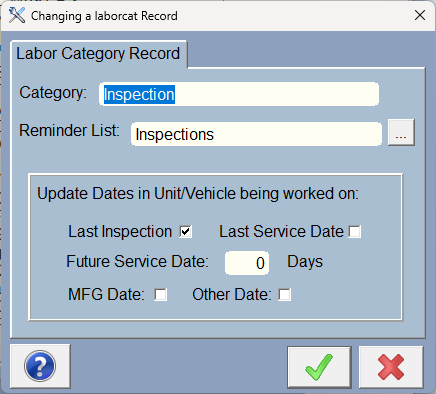
This is simple, just add a labor category. Labor categories have to be unique. Try not to get carried away with too many categories... the idea is to make your labor list items easier to find, so try to limit the amount of categories you use, although there is really no limit.
The Reminder list item triggers one or more reminder master items to create a reminder(s) because you completed an RO with those reminder lists. If you are not using reminders, just leave it blank.
When you complete an RO, you can also cause a labor item to trigger an update to dates for the unit/vehicle you are working on. Except for the Future service date, the dates in the unit/vehicle will be updated with today's date (the date of completion) if the date is checked in the check boxes above. For future date, you can type in a number of days. For instance if the next service date should be performed in 1 year, type in 365 in the Future Service Date Days field.
This will let you look at the unit/vehicle info when the customer brings the unit back in. You can also use those dates to setup a query so you can send an Email to customers that have to have some service performed. (Using the automatic reminder list will perform that function automatically)