* * HELP & MANUAL PREMIUM PACK 3 DEMO VERSION * *
This documentation was styled with a demo skin from the Premium Pack 3 add-on for Help & Manual. The contents of the skin are encrypted and not configurable.
This version is copyright and may only be used for local testing purposes. It may not be distributed.
Please purchase the full version of the Premium Pack to get the configurable skins and remove this notice.
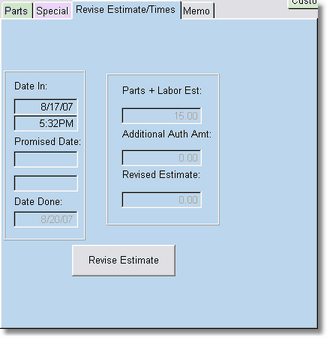
From either work order screen, you can click on the Revise Estimate Tab. If there are no revisions, there will be a total showing for the parts and labor. You can type in the promised date.
When you click on Revised Estimates, the following browse table will display.
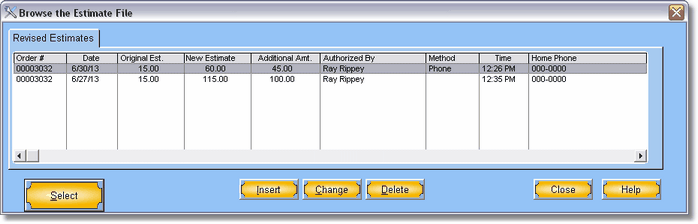
You can add many revisions. Think of this as a log.
To add a revised estimate press or click on Insert. You can made as many revisions as you need. After you have added the new estimate and close this window the new amounts will be shown in the work order. This gives you an excellent way to track estimate changes.
