* * HELP & MANUAL PREMIUM PACK 3 DEMO VERSION * *
This documentation was styled with a demo skin from the Premium Pack 3 add-on for Help & Manual. The contents of the skin are encrypted and not configurable.
This version is copyright and may only be used for local testing purposes. It may not be distributed.
Please purchase the full version of the Premium Pack to get the configurable skins and remove this notice.
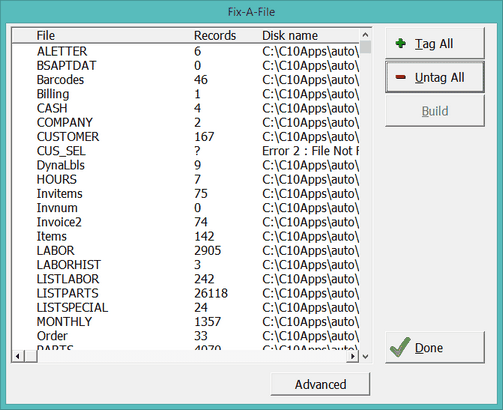
The File Manager is used to repair damaged data files. In the event your program is doing something odd, like displaying an item twice, or not transferring items where they belong go to the File menu and choose File Manager. Click on Tag All then click on Build. Click on Done when this is finished.
MAKE SURE you close all Digital Wrench Programs on your local area network. File Manager needs exclusive access to rebuild your files.
DO NOT play with options in File Manager!!!
If the build does not work to repair the problem then call VMT Software. 541-582-4744. Please have your backup disk/USB flash drive ready.
