|
<< Click to Display Table of Contents >> RO Labor History |
  
|
|
<< Click to Display Table of Contents >> RO Labor History |
|
Labor History is available from the Inventory/Labor Menu. This is all the labor items for every RO in the system. You can sort by different fields, but mainly by Category, and even the Year, Make, and Model of the vehicles/Units.
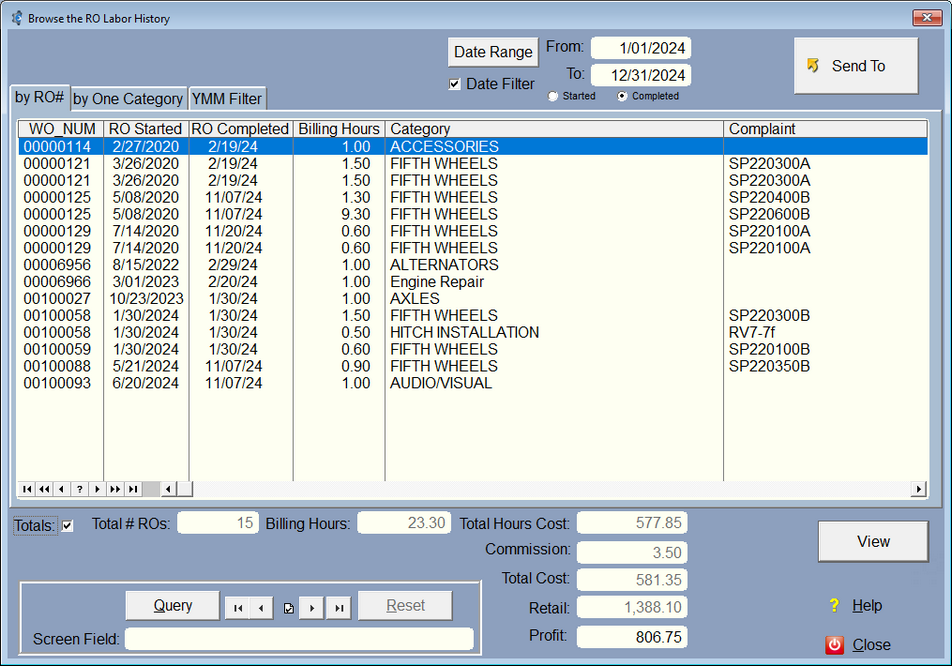
There are a number of filters you can use on this screen. Usually you'll want a date filter, so just select a date range and turn on the Date Filter by ticking the check mark.
Currently the Date filter defaults to the date completed. You can select either Date Started or Date Completed. You can use the Query to filter by other dates.
For One category, you click on the by One Category Tab, then select the category. As a shortcut, you can right click on a labor item, then select Display this Category. The category will be filled in and the One Category Tab will be selected automatically.
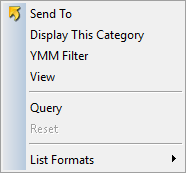
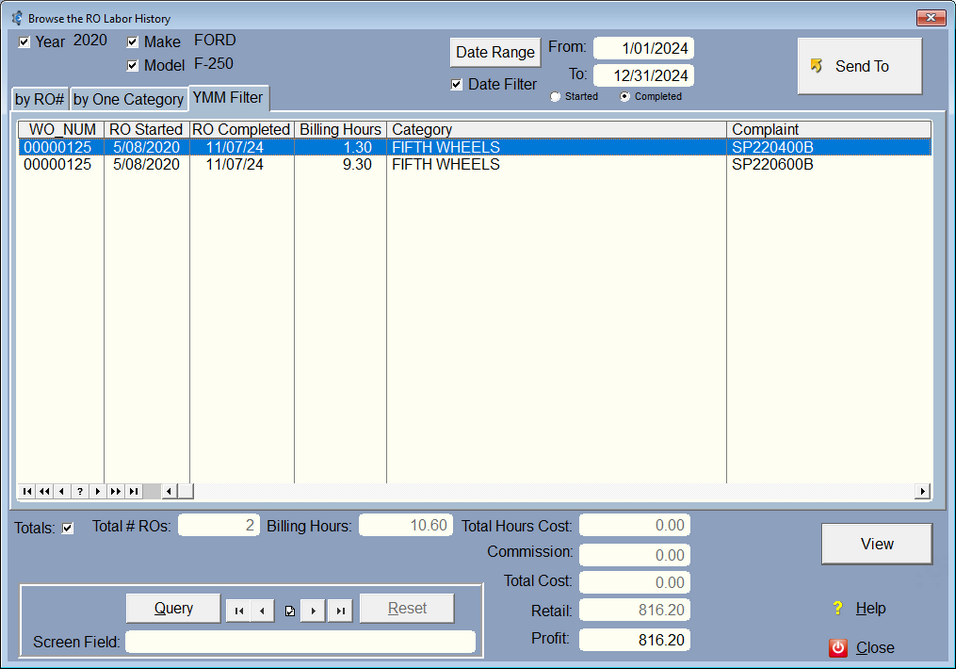
If you scroll to the right there are more fields, including the year make and model from the RO. If you highlight, then right click, then select YMM Filter, it will put the Year, Make, and Model in the filter. It will also turn on the checks for those filters. You can turn off the checks to get a more exact listing.
There is also a SendTo button so you can send whatever is on the screen to a spreadsheet, or report. Remember, you can adjust what fields are on the screen, and the order of those fields using List Formatting.
Using the Query you can pretty much filter anything you like to get exactly the data you need. You can use the screen field to compare to certain data during the query. That way, if you build a query for Ray as a technician using the Screen Field, you just need to put in a different name in the Screen Field, and the screen will redisplay using the new name. You can also query by the work done. (LAB:labormemo is the work Done) (LAB:Detail4 is the Complaint) (lab:cost is the total cost including total hours cost and commission)