* * HELP & MANUAL PREMIUM PACK 3 DEMO VERSION * *
This documentation was styled with a demo skin from the Premium Pack 3 add-on for Help & Manual. The contents of the skin are encrypted and not configurable.
This version is copyright and may only be used for local testing purposes. It may not be distributed.
Please purchase the full version of the Premium Pack to get the configurable skins and remove this notice.
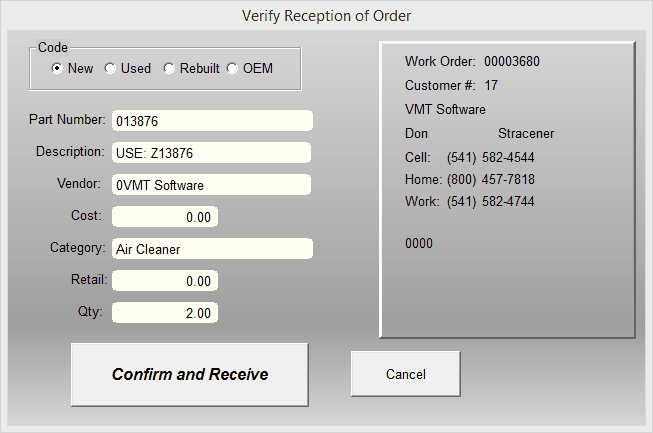
When you click on Receive, this form will let you enter the quantity and change any other information you need to.
Note that on the right side of the screen is customer information. If you placed this item on order from within a work order, the customer information is stored so you'll know which customer and work order this part belongs to.
To put the item in inventory and take it out of on-order click on the Confirm and Receive button.
