* * HELP & MANUAL PREMIUM PACK 3 DEMO VERSION * *
This documentation was styled with a demo skin from the Premium Pack 3 add-on for Help & Manual. The contents of the skin are encrypted and not configurable.
This version is copyright and may only be used for local testing purposes. It may not be distributed.
Please purchase the full version of the Premium Pack to get the configurable skins and remove this notice.
Security Files
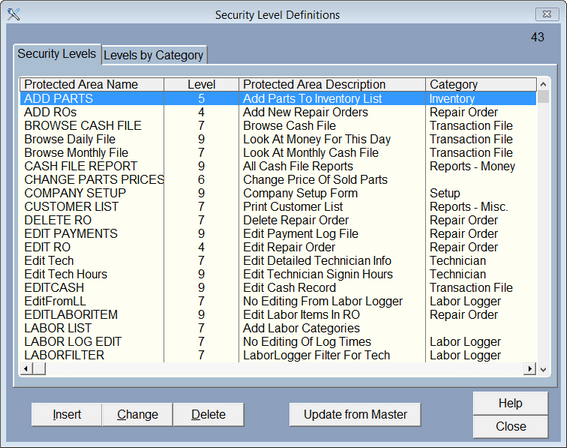
To set up default security go to Setup and choose Security Levels. Click on the Update from Master button. This will display the levels VMT Software has set up. You can adjust the levels by clicking on the security option you want to change, then click on Change button.
The area name is preset by VMT Software.
The Security Level works with the level you set for each person using the program in Passwords. If the person has a level 5 then they can't get into any area of the program that is above level 5.
The Area Description gives you a better idea of what security option is for.
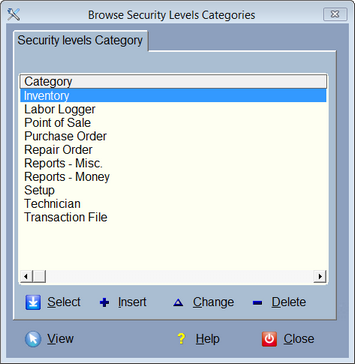
Categories make it easier to find certain security levels. As of this writing there are 10 categories. Click on the 'Levels by Category' tab.
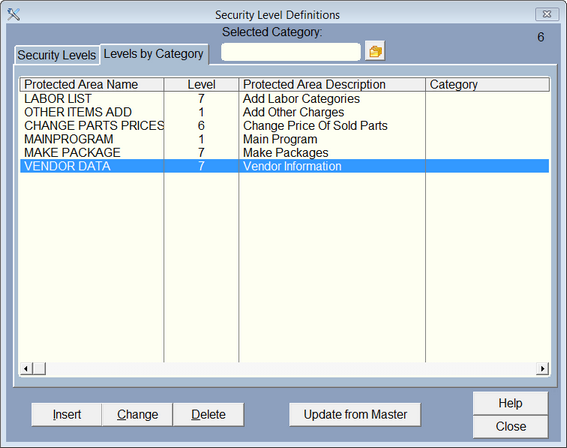
Then click on the icon  to see a list of the categories, then pick one to see all security levels for that one category.
To change the level it takes to get into a certain area of the program click on the area you want to change and then click Change.
