* * HELP & MANUAL PREMIUM PACK 3 DEMO VERSION * *
This documentation was styled with a demo skin from the Premium Pack 3 add-on for Help & Manual. The contents of the skin are encrypted and not configurable.
This version is copyright and may only be used for local testing purposes. It may not be distributed.
Please purchase the full version of the Premium Pack to get the configurable skins and remove this notice.
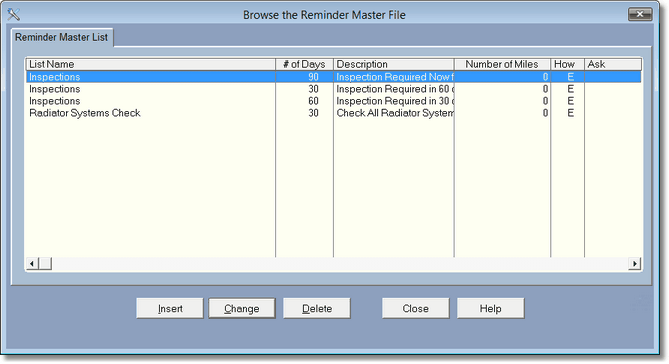
This browse shows all the reminders you have set up. When you complete a work order that includes a labor item that has a category related to the reminder list name, the program will find all items in the master list with that list name, then create a reminder.
This way you can have more than one reminder created for a labor item.
First, let's look at the labor category list that relates to the reminder list name.
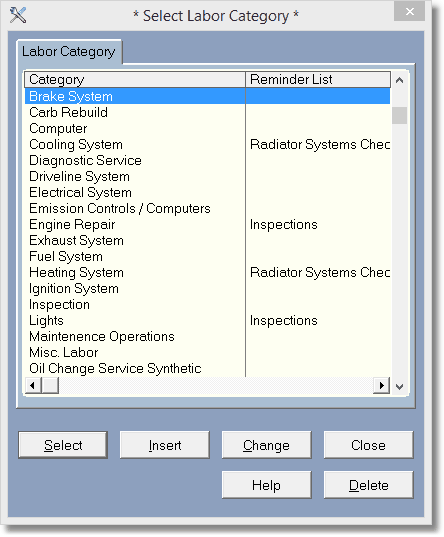
Notice I can set more than one labor category to a particular list name. Don't worry, the program will only add one reminder per list, even if you have more than one labor item that has the same list name. For instance in the above screen, if I sell a labor item with the category of Lights, and a labor item with the category of Engine Repair, they both have the Inspections list. The program will only set reminders once for the Inspections List.
