* * HELP & MANUAL PREMIUM PACK 3 DEMO VERSION * *
This documentation was styled with a demo skin from the Premium Pack 3 add-on for Help & Manual. The contents of the skin are encrypted and not configurable.
This version is copyright and may only be used for local testing purposes. It may not be distributed.
Please purchase the full version of the Premium Pack to get the configurable skins and remove this notice.
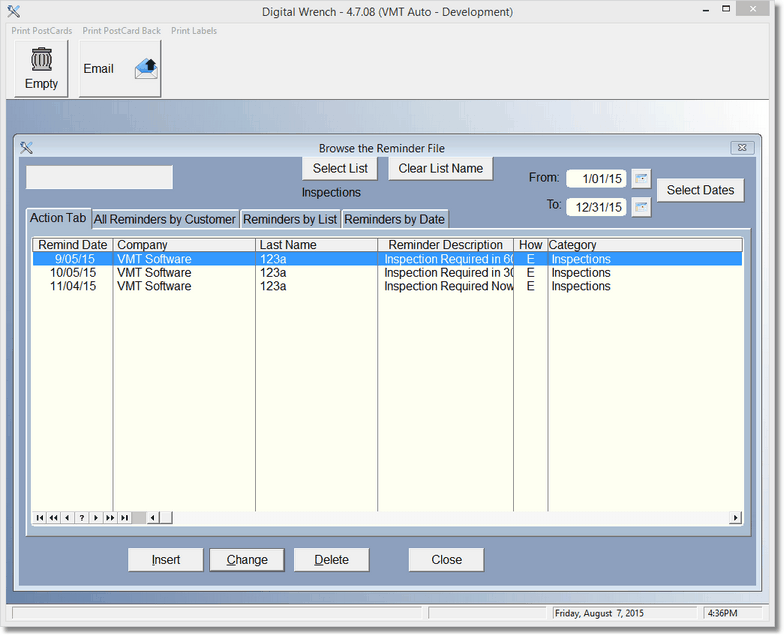
This is a list of reminders that need to be done. To change a record, highlight and double click or click change.
Above this list are a set of actions that can be done. NOTHING will happen if you don't select a date range. If you have not selected a list, the program will only filter (and create or empty reminders) based on the date range. If you select a list name, then any action you select will also filter on the list name as well as the date range. This is what the Clear List Name Button is for... if you want the action to happen to every List Name by date range, just Clear the List Name.
The Empty Button above will empty just the filtered items you see under the action tab. So when you're done sending the Email for those items, you can empty or delete just those items.
