* * HELP & MANUAL PREMIUM PACK 3 DEMO VERSION * *
This documentation was styled with a demo skin from the Premium Pack 3 add-on for Help & Manual. The contents of the skin are encrypted and not configurable.
This version is copyright and may only be used for local testing purposes. It may not be distributed.
Please purchase the full version of the Premium Pack to get the configurable skins and remove this notice.
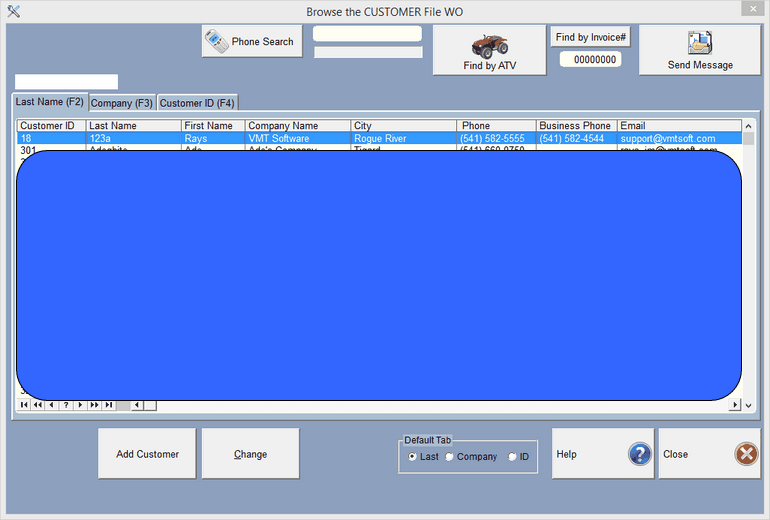
Customers can be found by their last name, license number of their car, company name, or by their customer number. Click on the tab that you want to search by, the default search is by customer last name.
Then type in the information you are searching for. As you type the program will narrow the search, i.e. typing 'S' would find the first customer whose name started with a 'S'. Typing an 'a' after that would give you the first customer with 'Sa' and so forth. Down arrow or use your mouse if you see the customer on the screen.
When the customer is highlighted, click on Select (or double click). If the customer does not exist, click on the Insert button to add the customer.
