* * HELP & MANUAL PREMIUM PACK 3 DEMO VERSION * *
This documentation was styled with a demo skin from the Premium Pack 3 add-on for Help & Manual. The contents of the skin are encrypted and not configurable.
This version is copyright and may only be used for local testing purposes. It may not be distributed.
Please purchase the full version of the Premium Pack to get the configurable skins and remove this notice.
Browse Format Issue
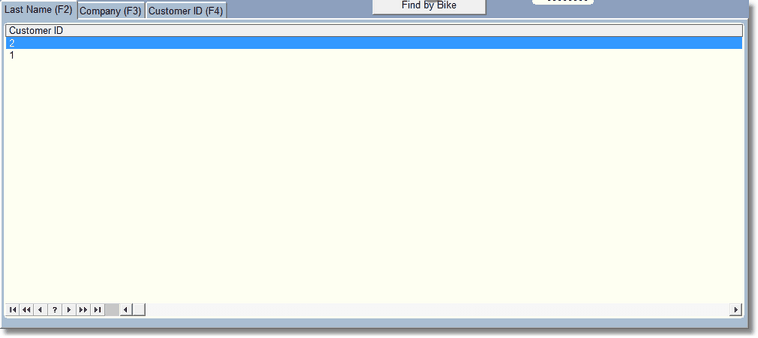
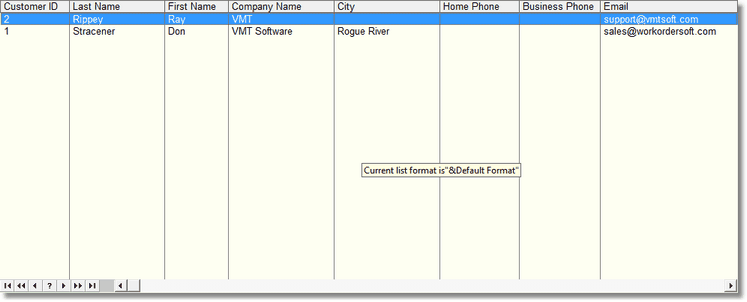
Unfortunately there is a bug in our programming language that we cannot fix.. yet. In many browse lists you can right click and format the browse. Formatting allows you to change the order of the fields displayed, and what fields are being displayed. The formatting is stored in a file. However, sometimes when we add a new field to the browse, the only thing that displays in that browse is the left most field. It is simple to fix:
Right Click on the center of the browse screen and a menu will display
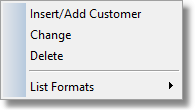
From there, click on List Formats
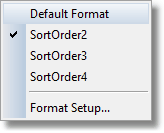
Then Click on Format Setup
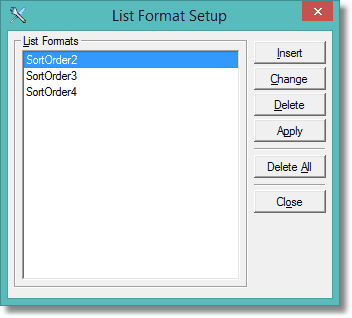
Click on Delete All, then close. This will erase the Format File (not the information in the browse), and it should return to normal. However if you did have some browse formatting you used it will be erased and you'll have to create new formatting for that screen.
 .
.
