* * HELP & MANUAL PREMIUM PACK 3 DEMO VERSION * *
This documentation was styled with a demo skin from the Premium Pack 3 add-on for Help & Manual. The contents of the skin are encrypted and not configurable.
This version is copyright and may only be used for local testing purposes. It may not be distributed.
Please purchase the full version of the Premium Pack to get the configurable skins and remove this notice.
This is the form where you enter the Item for the Labor List.
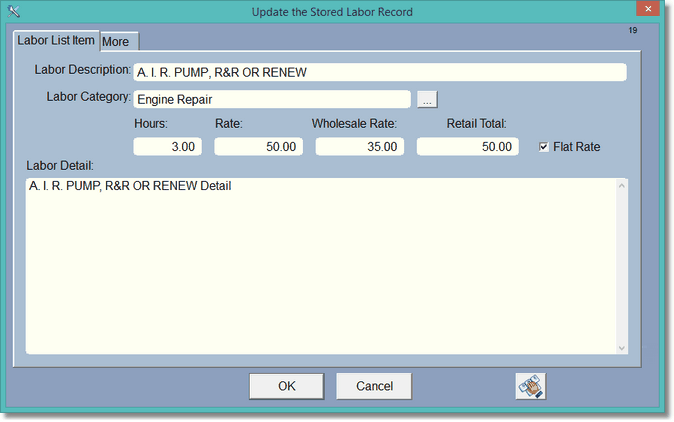
The Labor Description is only for reference and lookup. It is not copied to the actual labor item in the Repair Order. The Rate will be wholesale if it is a wholesale customer, otherwise the standard rate will be applied to the RO labor item. If Flat Rate is checked, then the Retail Total will be copied in as the flat rate and will also be the total. Otherwise the total in the RO labor item will be the hours multiplied by the Rate. Also, if Flat Rate is checked here, the Retail total will simply be the Rate.
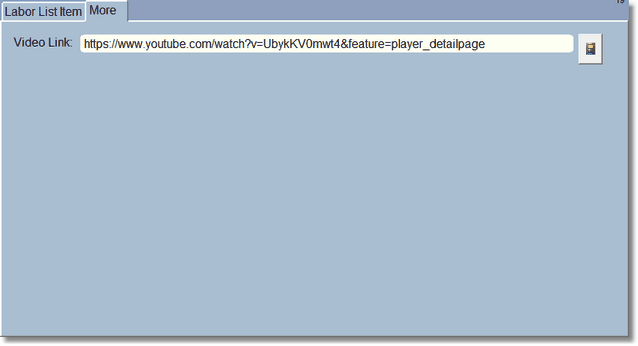
Click on the Video Button on the right and a youtube page will display. If there is nothing in here to start it will let you search for a video. When you find the video you want to save, right click and Save URL for the video, click Save and Close. The link will be saved here. This link is copied to the RO labor item when selected so the technician can look at the video from within the RO.
