* * HELP & MANUAL PREMIUM PACK 3 DEMO VERSION * *
This documentation was styled with a demo skin from the Premium Pack 3 add-on for Help & Manual. The contents of the skin are encrypted and not configurable.
This version is copyright and may only be used for local testing purposes. It may not be distributed.
Please purchase the full version of the Premium Pack to get the configurable skins and remove this notice.
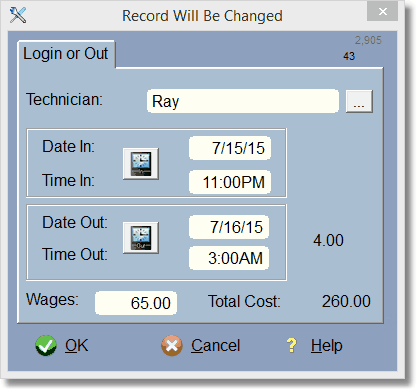
Select the tech by clicking on the ellipse (the icon to the right of the Technician Field).
Simply click on the Clock Icon to fill in the current Date/Time. Or, type it in.
Wages will get filled out automatically if you have set wages in the Tech File (look under the setup menu).
