|
<< Click to Display Table of Contents >> Browse Completed Work Orders with Balances |
  
|
|
<< Click to Display Table of Contents >> Browse Completed Work Orders with Balances |
|
To get to this screen, click on the main menu, Work Orders, Completed Work Orders with a Balance, or click on the 2nd icon from the left.

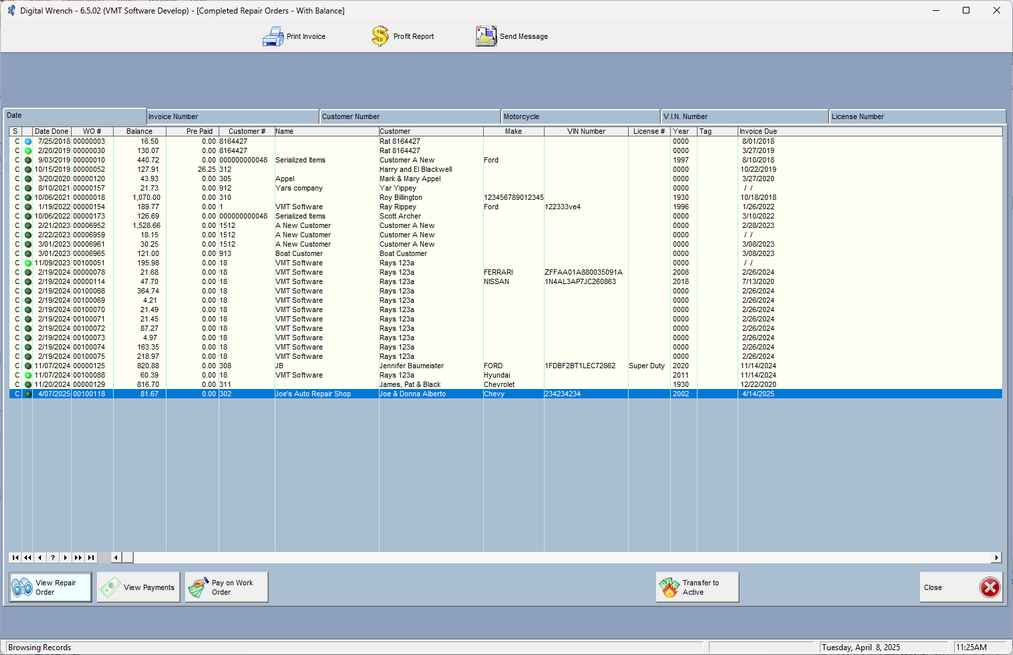
You can print the work order, print the profit report of the highlighted work order, or send the customer a message via text or Email. This is basically a screen that shows all RO's that have not been fully paid.
Also, depending on which tab you choose, you can print some reports.
These work orders still have a balance left, so there are only a few options.
1. Look at the work order (no editing allowed)
a.If there is no money paid on the RO, and the security allows it, you can edit an RO.
b.If there is some money paid, and the security allows it (EDITCOMPLETEDRO in security settings), you can right click on the View Repair Order button and edit it. Be careful as you may get mixed results.
2.Pay on the Work Order
3.View Payments
4.Transfer it back to active so you can do more work on it. If you do this, you'll need to answer the first question yes, then the 2nd question determines if you're going to give the money back to the customer, or simply put it in their account to use it later.