|
<< Click to Display Table of Contents >> Billing Setup |
  
|
Billing Setup
|
<< Click to Display Table of Contents >> Billing Setup |
|
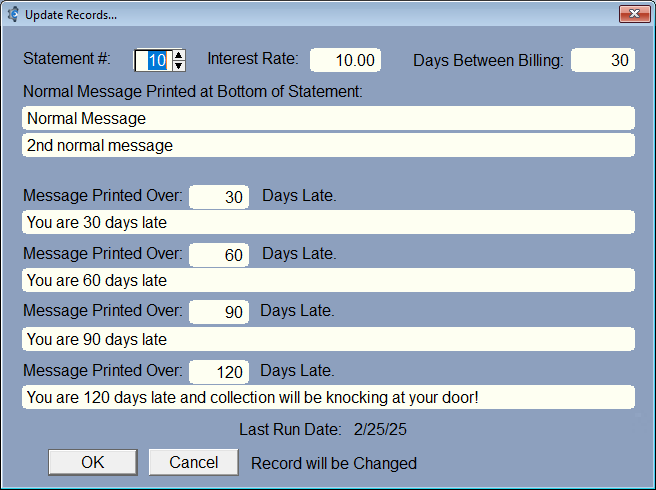
If you are going to charge interest on your outstanding work orders that have been transferred to receivables enter the interest percentage.
Type in the messages you want printed on your statements. Enter the messages you want printed when the bill is XX amount late.
The standard would be 30, 60, 90, 120. Enter the number of days between billing.\
There are currently 2 built-in Statements, #1 and #2. There are now 2 statements in the Report Manager (a report writer you can use). #10 and #11. You can try them out by going to Reports/More Reports to get to Report Manager, then scroll down to Customer Statements. If you have Statement10.rpt in the Report Manager, just set it to 10 here, and you can use the menu in this section to print the Statements for all customers.